


Are you a new judge or new constable?
Elected or Appointed Judges and Constable have different forms to fill out to get a TJCTC Account.
Want to create a new TJCTC Account for someone who is not a judge or constable?
You can fill out the new employee TJCTC Account request form. Important: Only the judge or constable can add a new employee.
Step 1:
Make sure you are the judge or constable!
Step 2:
Log into your TJCTC Account through our database. Have you set up your password yet? If not, you will need to do that before adding a new employee. Visit our database webpage to learn how.
Step 3:
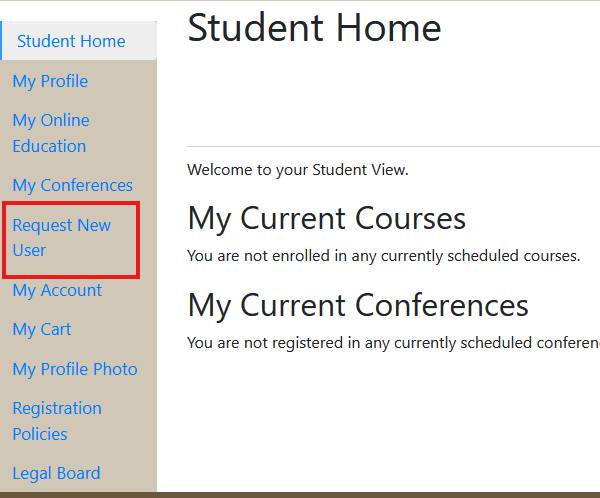
After logging in, click on the Request New User link on the left hand menu. Fill out the information using the employee's unique email address. (This cannot be an email address shared with anyone else in our database.)
Step 4:
A TJCTC staff member will review the information and enter them into the new database. This could take up to 2 business days. The new employee will then receive an email and can set up their password.